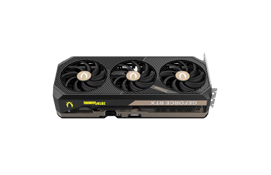
Common positions NVIDIA RTX A5000 GPU in popular benchmarks, for comparison with other models.
Published results: 9
Each row uses one Blender version, operating system and compute backend.
| Test and settings | NVIDIA RTX A5000 |
|---|---|
| Blender 4.0.0 / OPTIX / Linux | 4744.733063 samples/min Submissions: 17 |
| Blender 4.0.0 / OPTIX / Windows | 4797.409233 samples/min Submissions: 23 |
| Blender 4.1.0 / OPTIX / Linux | 1935.997892 samples/min Submissions: 11 |
| Blender 4.1.0 / OPTIX / Windows | 3188.524617 samples/min Submissions: 8 |
| Blender 4.2.0 / OPTIX / Windows | 4342.419616 samples/min Submissions: 16 |
| Blender 4.3.0 / OPTIX / Windows | 4601.067023 samples/min Submissions: 13 |
| Blender 4.4.0 / OPTIX / Windows | 4384.034247 samples/min Submissions: 9 |
| Blender 4.5.0 / OPTIX / Windows | 4348.792643 samples/min Submissions: 21 |
| Blender 5.2.0 / OPTIX / Windows | 4164.42516 samples/min Submissions: 8 |
Compare the scores of popular benchmarks NVIDIA RTX A5000 with other graphics cards to understand the real speed of the GPU when processing content.
Tests include working with floating point, creating 3D models, mining cryptocurrencies.
These are saved results from the earlier catalog. Measurement dates and test configurations were not recorded. Models with no comparable results are omitted.
Recent models: test results with identified primary sources — Game frame rates
Archived results. The original measurement method and test conditions have not been verified.
Higher values are better in this metric.
Comparable benchmark results are required to suggest performance alternatives.
*
Base Clock is the base GPU frequency stated by the manufacturer for this model.
Boost Clock describes automatic frequency increases. Actual clock speed varies with workload, temperature and power limits; it is not a guarantee of manual overclocking.


 Russian
 German
 Portuguese
 Italian
 French
 Japan
Japan Spanish
 Polish
 Chinese
 Korean